1
Create App From Manifest
Step 1 — Slack API → Your Apps
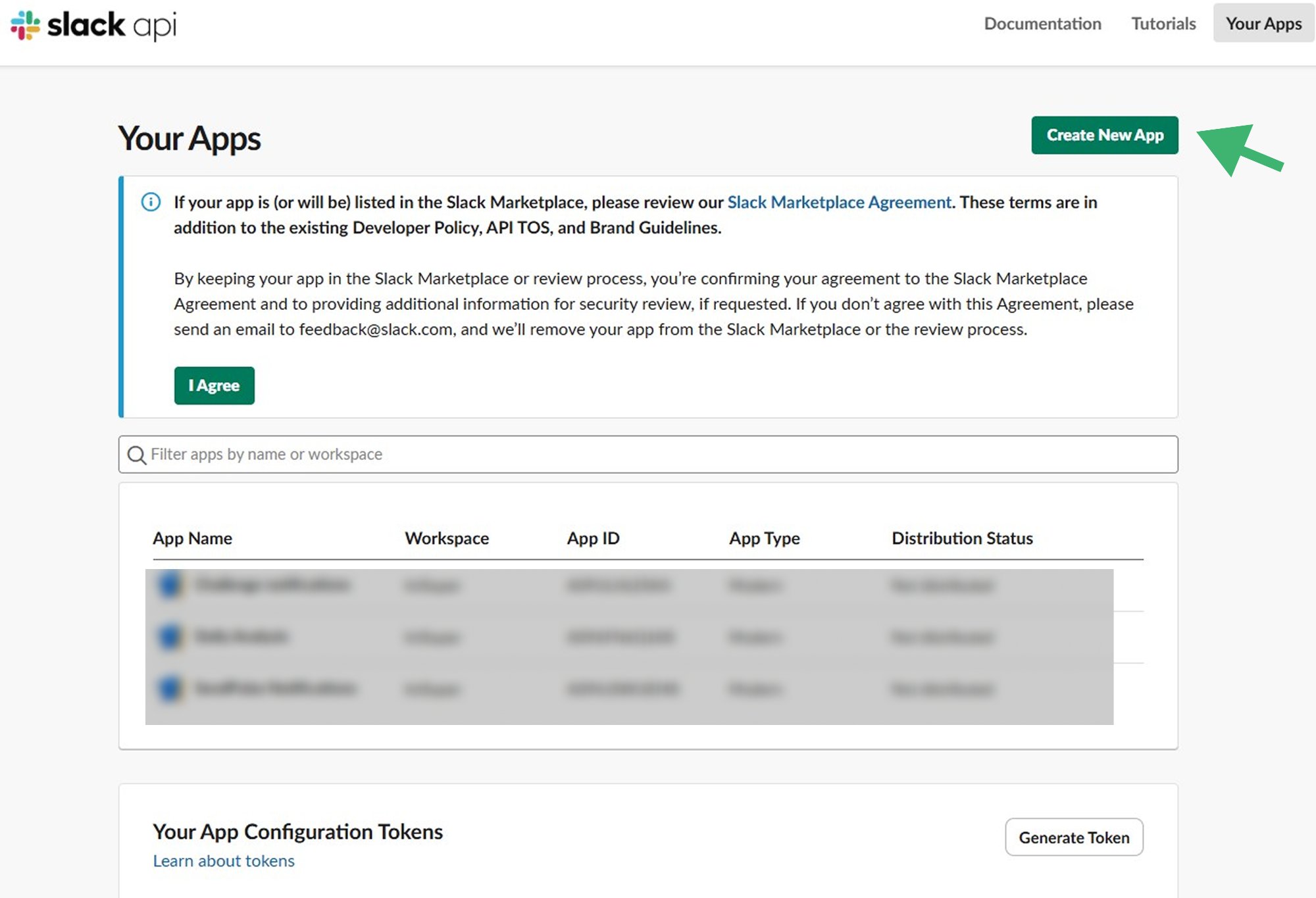
- Go to: https://api.slack.com/apps
- Click Create New App
- Choose From an app manifest
- Select your Workspace
- Choose YAML
2
Paste Minimal Manifest
Paste the following YAML manifest and click Next → Create:
YAML
display_information:
  name: Summyze Notifications

features:
  bot_user:
    display_name: Summyze Notifications
    always_online: false

oauth_config:
  scopes:
    bot:
      - chat:write

settings:
  org_deploy_enabled: false
  socket_mode_enabled: false
  token_rotation_enabled: false
3
Install the App
Step 3 — Install App to Workspace
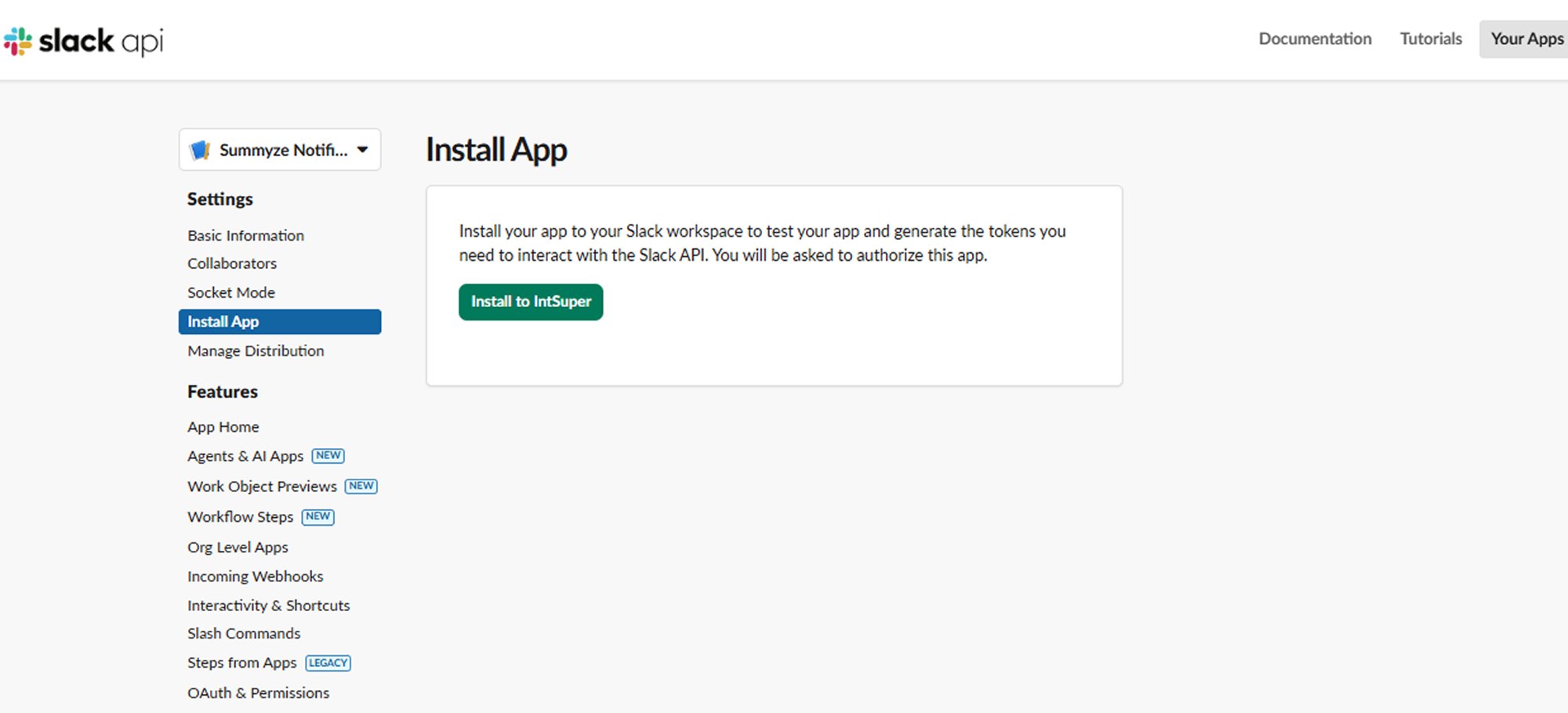
- Open your newly created App
- Go to Install App in the left sidebar
- Click Install to Workspace
- Click Allow to grant permissions
4
Get the Bot Token
After installation, you will see your Bot User OAuth Token:
Bot User OAuth Token
xoxb-xxxxxxxxxxxxxxxx
🔐 Store this token securely — use an environment variable or secret manager. Never expose it in frontend code.
5
Set Up Slack Bot Token in SUMMYZE
Step 5 — Admin Panel Settings
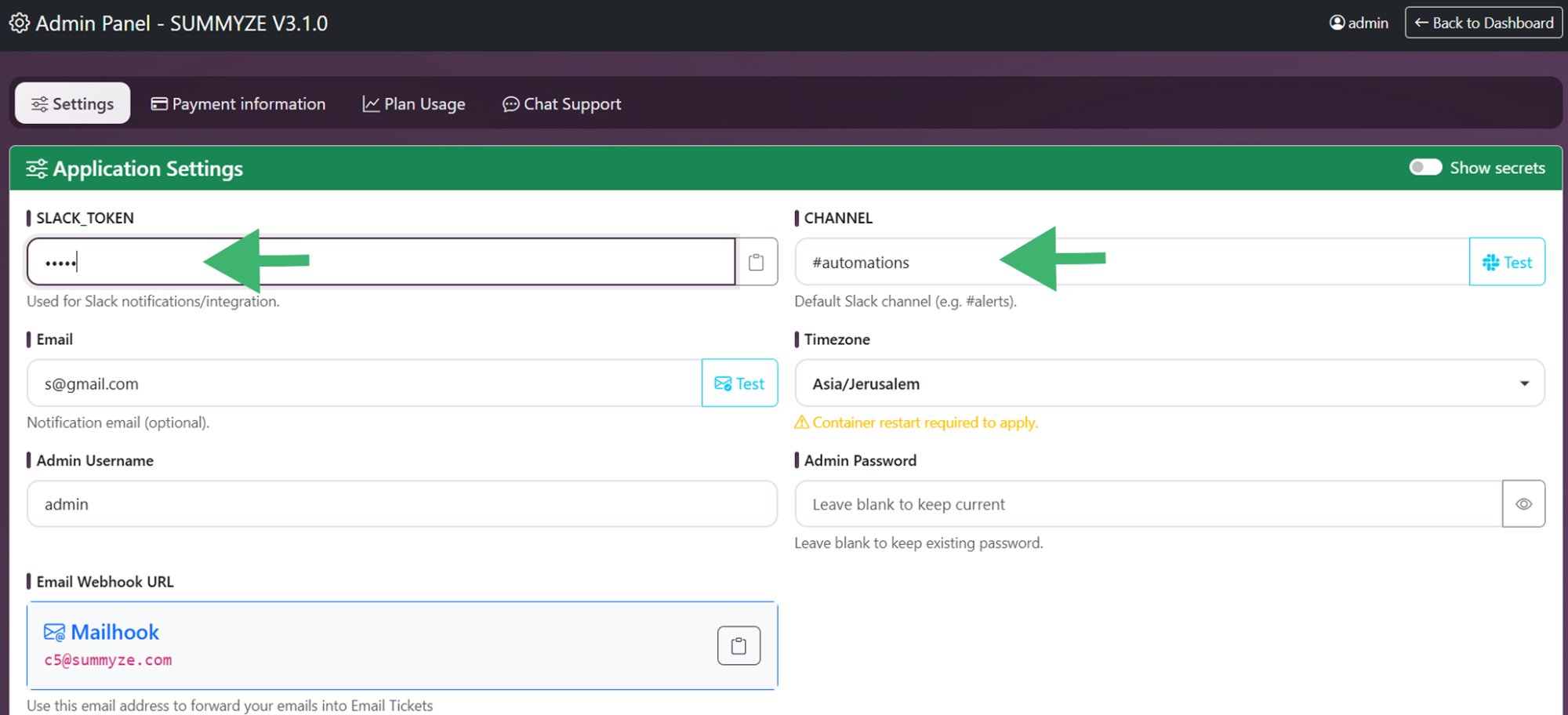
- Log in to SUMMYZE and open the Admin Panel → Settings
- Paste your Slack Bot Token into the SLACK_TOKEN field
- Enter the name of the Slack channel where you want to receive notifications into the CHANNEL field (e.g.
summyze_notifications) - Click Save
6
Create the Channel in Slack
- Open the Slack app
- Click the ··· (three dots) next to Channels and choose Create Channel
- Give it the same name as entered in Step 5 (e.g.
summyze_notifications) - Choose the visibility option you prefer (public or private)
7
Invite Bot to Channel (Required)
In Slack, open the target channel and run the following command:
/invite @Summyze Notifications
This grants the bot permission to post messages to the channel.
8
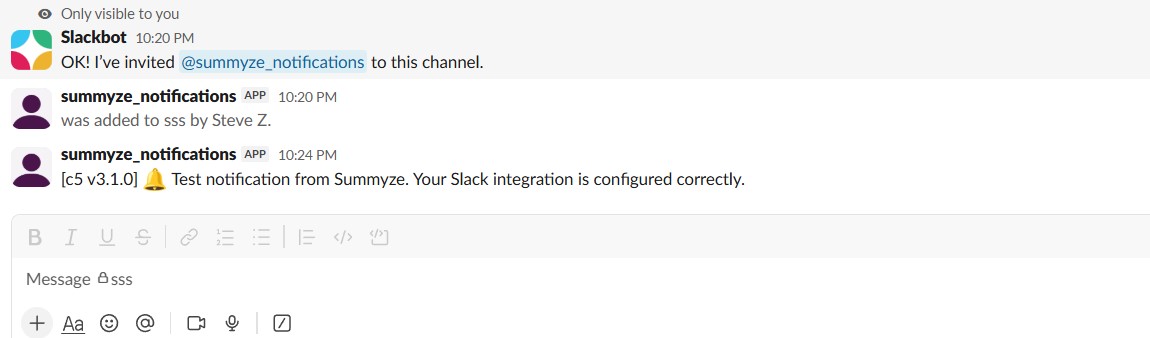
Send a Test Notification
- Log in to SUMMYZE and open the Admin Panel → Settings
- Next to the CHANNEL field, click Test
- Check your Slack channel — you should see a test message appear
Step 8 — Test Notification in Slack
🛡️ Security Best Practices
- Never expose the token in frontend code or public repositories
- Store the token in an environment variable or a secret manager
- Rotate the token periodically to reduce exposure risk
- Keep scopes minimal — only
chat:writeis needed for notifications
✅ All Done!
Your SUMMYZE instance will now send real-time Slack notifications to your designated channel whenever new email tickets arrive or important events are triggered.